How to Build a Student Portfolio That Gets Noticed by Employers
Nazik
Founder, Aspirev
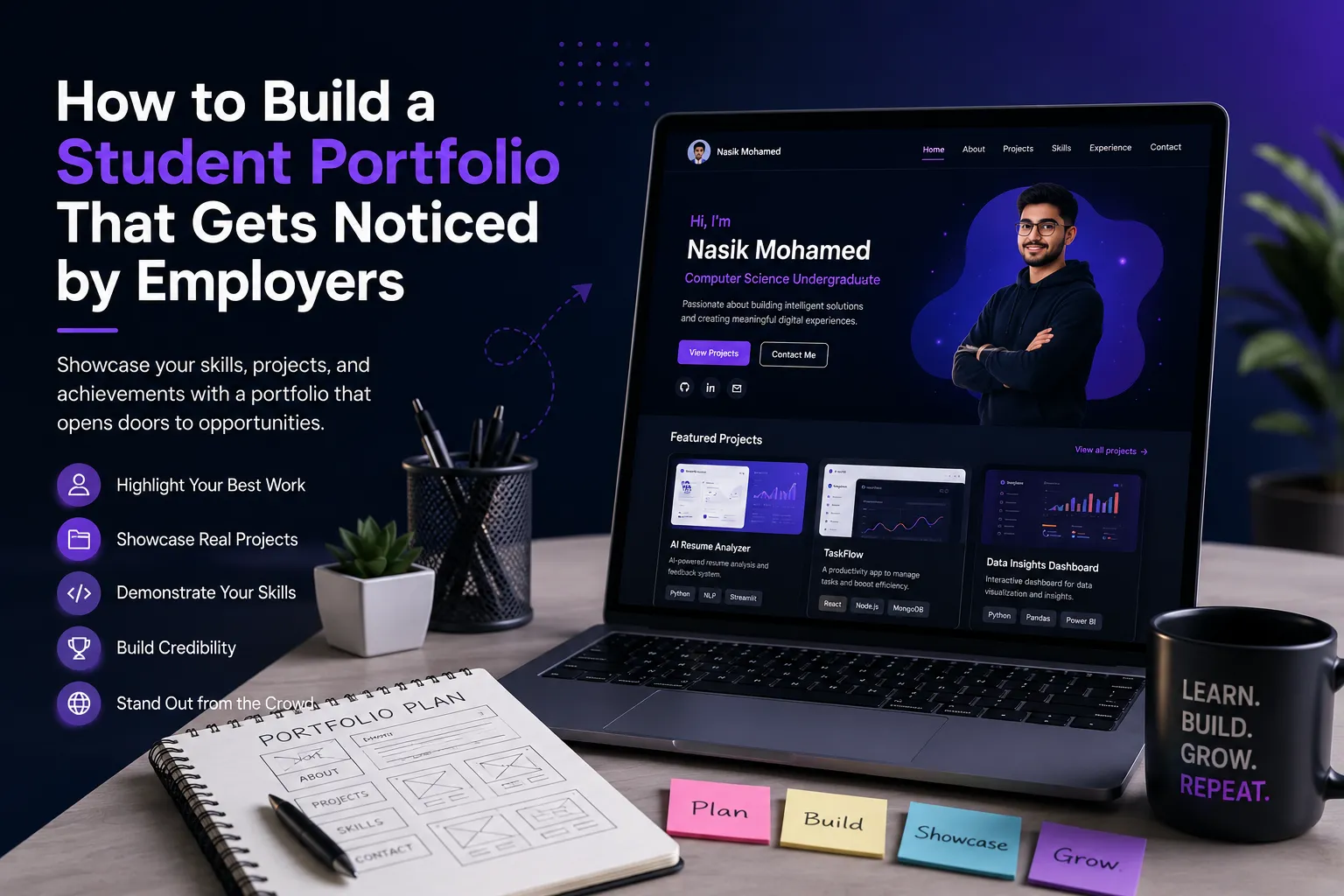
Table of Contents
- 01.What Is a Student Portfolio?
- 02.Why Should Students Have a Portfolio?
- 03.Your Portfolio Is Not Your Resume
- 04.What Should You Put in a Student Portfolio?
- 05.How Many Projects Should a Student Portfolio Have?
- 06.What If You Don't Have Any Projects?
- 07.Don't Copy Tutorials Into Your Portfolio
- 08.Build Your Portfolio Around Your Target Career
- 09.Match Your Portfolio to the Job
- 010.Make Your Portfolio Easy to Navigate
- 011.Make It Mobile-Friendly
- 012.Don't Overdesign It
- 013.Write for Humans, Not Just Recruiters
- 014.Keep Your Portfolio Updated
- 015.Connect Your Portfolio With Your Resume
- 016.Connect Your Portfolio With LinkedIn
- 017.Common Student Portfolio Mistakes
- 018.A Simple Student Portfolio Structure
- 019.Your Portfolio Should Answer Five Questions
- 020.Turn Your Projects Into a Career Story
- 021.Build Your Portfolio Before You Think You Need It
- 022.A 7-Day Portfolio Challenge for Students
- 023.Build Your Portfolio With Aspirev
- 024.Final Student Portfolio Checklist
- 025.Your Portfolio Is Proof of Your Potential
- 026.Build Your Portfolio with Aspirev
If you're a university student preparing for internships or your first job, your resume is important—but it doesn't always tell the whole story.
A resume can tell an employer what you've studied, what skills you have, and what experience you've gained.
A student portfolio can show the evidence behind those claims.
Instead of simply saying:
“I know Python.”
your portfolio can show a project you built with Python.
Instead of saying:
“I'm interested in UI/UX.”
you can show the interface you designed.
Instead of saying:
“I can solve real-world problems.”
you can explain the problem you identified, the solution you developed, and what you learned.
Harvard's career guidance describes portfolios as an important way for students—particularly those in creative, technical, and engineering fields—to showcase skills, talents, and accomplishments.
So, if you're wondering how to build a student portfolio that actually helps with internships and job applications, here's a practical approach.
What Is a Student Portfolio?
A student portfolio is a collection of your best work, projects, achievements, and skills presented in a way that helps employers understand what you can do.
It can be a website containing:
- Your introduction
- Skills
- University projects
- Personal projects
- Academic work
- Certifications
- Achievements
- Experience
- Contact information
For technical students, it could also include:
- GitHub repositories
- Live applications
- Data dashboards
- Research
- Technical case studies
- Project demonstrations
For design students, it could include:
- UI designs
- Branding projects
- Illustrations
- Prototypes
- Design case studies
For business or marketing students, it could include:
- Marketing campaigns
- Research projects
- Presentations
- Content projects
- Analytics work
The important thing is that your portfolio should be relevant to the career you want.
Why Should Students Have a Portfolio?
One of the biggest challenges students face is limited professional experience.
You might be thinking:
“I haven't worked at a company yet. What can I show?”
The answer is that professional experience isn't the only form of evidence.
Your experience can include:
- University projects
- Personal projects
- Coursework
- Research
- Student organizations
- Volunteering
- Freelance work
- Competitions
- Independent learning
Current Harvard career guidance also emphasizes that students can demonstrate skills through academic projects, independent projects, student activities, and other experiences even when they don't have formal professional experience.
Your portfolio gives those experiences somewhere to live.
Your Portfolio Is Not Your Resume
This is an important distinction.
Your resume summarizes your experience. Your portfolio demonstrates your experience.
For example, your resume might say:
E-commerce Website Developed a responsive e-commerce website using React and Node.js.
Your portfolio can go much deeper:
The problem: Small businesses often need simple online stores but may not have technical resources to build one.
The solution: I developed a responsive e-commerce platform with product management, authentication, and checkout functionality.
Technologies: React, Node.js, PostgreSQL, REST API
Challenges: One challenge was managing product state across different components.
Result: The completed application allows users to browse products, manage a cart, and complete an order.
What I learned: I improved my understanding of API integration, database design, authentication, and frontend state management.
That's much more informative than a single resume bullet.
What Should You Put in a Student Portfolio?
You don't need to include everything you've ever done.
Focus on the information that helps an employer understand who you are, what you can do, and what you've built.
A strong student portfolio can include the following sections.
1. Introduction
Start with a short introduction. Don't write a huge biography.
Tell the visitor:
- Who you are
- What you're studying
- What you're interested in
- What type of opportunities you're looking for
For example:
I'm a computer science undergraduate interested in software engineering and AI. I enjoy building practical applications and exploring how technology can solve everyday problems.
Keep it short. Your portfolio should make your direction clear within a few seconds.
2. Your Skills
Create a clear skills section.
For example:
- Programming: Python, JavaScript, Java, SQL
- Development: React, Node.js, REST APIs
- Tools: Git, GitHub, Figma
But don't turn this into a giant list of technologies you've barely used.
Your portfolio should support your skills with evidence. If you list Python, ideally there should be something somewhere in your portfolio demonstrating how you've used Python.
3. Your Best Projects
This is usually the most important section for students.
Don't feel like you need 15 projects. Three strong projects can be better than ten unfinished ones.
Choose projects that demonstrate the skills relevant to the roles you're targeting.
For example, a software engineering student might showcase:
- Project 01: Student Job Application Tracker
- Project 02: AI Resume Analysis Platform
- Project 03: University Event Management System
Each project should have enough information for someone to understand what you actually did.
4. Explain Your Projects Properly
Don't simply write:
Built a website using React.
That's not enough. Instead, use a simple structure:
- Project name: What did you build?
- Problem: What problem were you trying to solve?
- Solution: How did your project solve it?
- Technologies: What tools and technologies did you use?
- Your contribution: What exactly did you build?
- Challenges: What difficult problems did you encounter?
- Result: What did the final project accomplish?
- Demo: Can someone see it working?
- Source code: Can someone inspect the project?
This turns your project from a screenshot into a story about your skills.
5. Include Evidence
Whenever possible, show evidence of your work.
Depending on your field, this could be:
- Screenshots
- Live demos
- GitHub repositories
- Design prototypes
- Research papers
- Dashboards
- Videos
- Case studies
- Published work
For technical students, a live demo can be particularly useful.
Harvard's portfolio resources specifically point to tools such as GitHub Pages for showcasing coding projects, research, and technical work.
The goal is simple: Don't just tell people what you can do. Give them something they can see.
6. Add Your Education
Your portfolio doesn't need to duplicate your entire resume. A simple education section is enough.
For example: BSc in Computer Science University Name (2023–2027)
You can optionally include:
- Relevant coursework
- Academic achievements
- Research
- Major projects
Only include details that help communicate your strengths.
7. Include Certifications Carefully
Certifications can be useful, especially when you're early in your career. But don't create a page filled with dozens of certificates.
Focus on certifications that are relevant to your target role. For example:
- AWS certification
- Google Analytics certification
- Microsoft certification
- Relevant technical certifications
- Industry-specific credentials
And remember: A certificate is evidence that you completed learning. A project is evidence that you applied it. Whenever possible, combine both.
8. Include Achievements
If you have meaningful achievements, showcase them.
Examples include:
- Hackathon awards
- Coding competitions
- Scholarships
- Research publications
- Academic awards
- Leadership positions
- Open-source contributions
- Entrepreneurship
- Community projects
But don't feel pressured to invent a huge achievements section. If you don't have major awards yet, that's completely fine. Your projects and learning journey can still make a strong portfolio.
9. Add a Contact Section
Don't make employers search for a way to contact you.
Include:
- GitHub, if relevant
- Other professional links
Keep the contact section simple.
How Many Projects Should a Student Portfolio Have?
There isn't a magic number.
For most students, I'd recommend starting with 2–5 strong projects rather than trying to fill the website with everything you've ever built.
Choose projects that demonstrate different strengths.
For example:
- Project 1 — Technical depth: A challenging application.
- Project 2 — Real-world problem: A project solving a practical problem.
- Project 3 — Career relevance: Something directly connected to your target role.
Then add more projects as you build better work. Your portfolio should evolve with you.
What If You Don't Have Any Projects?
This is one of the most common problems students face.
The good news is: You don't need to wait for an internship before creating a portfolio.
Start with a small project. For example, if you're interested in software engineering:
- Beginner project: Build a task manager.
- Then improve it: Add authentication, add a database, add search, add filtering, deploy it online.
Now you have something you can showcase.
If you're interested in data: Start with a dataset and create: Data cleaning, Analysis, Visualizations, Dashboard, Insights.
If you're interested in design: Create: A mobile app concept, Website redesign, Design system, User-flow case study.
The project doesn't have to be revolutionary. It needs to demonstrate your ability to learn and create.
Don't Copy Tutorials Into Your Portfolio
Following tutorials is completely fine when you're learning. The problem starts when the tutorial becomes your entire portfolio.
If you follow a tutorial to build a project:
- Understand what you built.
- Change the design.
- Add your own features.
- Solve additional problems.
- Improve the project.
- Document what you changed.
Then you can explain the work honestly. An employer may ask: > “Why did you choose this architecture?” or: > “What would you improve?” You should be able to answer.
Build Your Portfolio Around Your Target Career
Your portfolio becomes much stronger when it has a clear direction.
Suppose you're targeting: Frontend Developer Your portfolio might emphasize: React, JavaScript, Responsive design, UI implementation, Accessibility, Performance.
If you're targeting: Data Analyst Your portfolio might emphasize: SQL, Python, Excel, Data visualization, Dashboards, Business insights.
If you're targeting: AI/ML Engineer You might emphasize: Machine learning projects, Python, Model evaluation, Data pipelines, APIs, AI applications.
Don't try to make your portfolio look like you're applying for every job on the internet. Make it clear what direction you're pursuing.
Match Your Portfolio to the Job
Here's a powerful habit:
Before applying for an internship, read the job description. Look for the skills the employer repeatedly mentions.
For example: Python, SQL, Machine Learning, Data Visualization
Then ask: Does my portfolio show these skills?
If it doesn't, you have two choices:
- Option 1: Improve an existing project so it demonstrates the skill.
- Option 2: Build a new project around that skill.
This creates a stronger connection between your portfolio and the opportunities you're applying for.
Harvard's current career guidance similarly recommends starting with the skills employers identify in job descriptions and connecting those requirements with evidence from coursework, projects, and other experiences.
Make Your Portfolio Easy to Navigate
A beautiful portfolio isn't useful if visitors can't find anything. Keep the navigation simple.
For example:
Home | About | Projects | Skills | Contact
That's enough for many students. Avoid creating ten different pages just because you can. Your goal is to make the important information easy to find.
Make It Mobile-Friendly
Many people will open your portfolio on a phone.
Check:
- Does the text remain readable?
- Do buttons work?
- Are images properly sized?
- Does the navigation work?
- Do project cards fit correctly?
- Does the page load quickly?
Open your portfolio on both desktop and mobile before sharing the link.
Don't Overdesign It
Students sometimes spend more time designing their portfolio than building the work inside it.
Your portfolio doesn't need:
- Excessive animations
- Huge 3D effects
- Dozens of gradients
- Complicated navigation
- Unnecessary loading screens
Good design should help your work stand out—not hide it.
Think: Clean → Clear → Professional → Easy to understand
Write for Humans, Not Just Recruiters
Your portfolio should be understandable to someone who isn't an expert in your technology.
Instead of writing:
Implemented JWT-based RBAC middleware with PostgreSQL persistence.
You could explain:
Added secure login and different access levels so users can access features based on their account type.
You can still mention the technical implementation below it.
The best portfolios communicate at two levels:
- What the project does
- How you built it
Keep Your Portfolio Updated
Your portfolio shouldn't be something you create once and forget.
Every few months, ask:
- Did I build anything better?
- Did I learn a new skill?
- Did I complete an internship?
- Did I win an award?
- Did I contribute to an open-source project?
- Is one of my older projects no longer relevant?
Then update it. Your portfolio should grow alongside your career.
Connect Your Portfolio With Your Resume
Your resume and portfolio should tell the same story.
For example:
- Resume: Developed an AI-powered student career platform.
- Portfolio: A complete case study showing the problem, your approach, technologies, screenshots, architecture, challenges, results, and live demo.
This makes your application more credible. The resume gets the employer interested. The portfolio gives them more evidence.
Connect Your Portfolio With LinkedIn
Your LinkedIn profile and portfolio should also be consistent.
You can include your portfolio link in:
- LinkedIn contact information
- LinkedIn About section
- Resume
- Job applications
- Email signature
- Internship applications
This creates one professional identity across your career platforms.
Common Student Portfolio Mistakes
Avoid these mistakes.
- Too much information: Your portfolio isn't an autobiography.
- Too many weak projects: Show your best work.
- No project explanations: Don't make visitors guess what you built.
- Broken links: Test everything before sharing it.
- No contact information: Make it easy to reach you.
- Copying templates without personalization: Your portfolio should represent you.
- Listing skills without evidence: Connect skills to projects.
- Making the design more important than the content: Your work should be the focus.
- Never updating it: Your portfolio should evolve.
- Claiming skills you can't explain: Only include technologies and experiences you genuinely understand.
A Simple Student Portfolio Structure
If you're creating your first portfolio, don't overcomplicate it.
Here's a simple structure:
- Hero: Your Name, Title (Computer Science Student | Aspiring Software Engineer), Short introduction, View Projects, Contact Me.
- About: Who you are, what you're studying, and what you're interested in.
- Skills: Your strongest technical and professional skills.
- Projects: Show your 2–5 strongest projects. For each: Problem → Solution → Technology → Result → Demo.
- Education: Your university and relevant academic information.
- Achievements: Awards, competitions, leadership, certifications, or other meaningful accomplishments.
- Contact: Email + professional links.
That's enough to create a strong first portfolio.
Your Portfolio Should Answer Five Questions
Before publishing, open your portfolio as if you've never seen it before.
Can you answer these five questions within a few minutes?
- Who is this person?
- What career are they pursuing?
- What skills do they have?
- What have they actually built or accomplished?
- How can I contact them?
If the answer to all five is obvious, you're on the right track.
Turn Your Projects Into a Career Story
Your portfolio shouldn't feel like a random collection of projects. It should tell a story.
For example:
I became interested in software development. ↓ I learned programming. ↓ I built my first application. ↓ I learned databases and APIs. ↓ I built a larger full-stack project. ↓ I explored AI. ↓ I built an AI-powered application. ↓ I'm now looking for software engineering opportunities.
Now an employer isn't just looking at projects. They're seeing progress.
Build Your Portfolio Before You Think You Need It
One of the biggest mistakes students make is waiting until they start applying for internships.
Don't wait. Build your portfolio while you're learning.
Then, when an opportunity appears, you already have something to share. Harvard's career resources specifically describe portfolios as useful for showcasing skills and accomplishments and as valuable when pursuing internships and jobs.
Your portfolio doesn't need to be perfect on day one. It just needs to exist. Then improve it.
A 7-Day Portfolio Challenge for Students
If you're starting from zero, try this.
- Day 1 — Choose your career direction: Decide what type of role you're targeting.
- Day 2 — Select your best projects: Choose 2–3 projects.
- Day 3 — Write your project descriptions: Explain the problem, solution, technologies, and results.
- Day 4 — Build your portfolio structure: Create your Home, About, Projects, and Contact sections.
- Day 5 — Add your evidence: Add screenshots, demos, GitHub links, or case studies.
- Day 6 — Test everything: Check desktop, mobile, links, spelling, and loading speed.
- Day 7 — Publish: Get your portfolio online and start sharing it.
Then keep improving it as you learn.
Build Your Portfolio With Aspirev
Creating a portfolio from scratch can feel like another project on top of everything else you're already doing as a student.
Aspirev's Portfolio Maker is designed to make that process easier.
You can build your portfolio by providing your information and experiences, customize your professional profile, and publish it as a shareable portfolio link.
That means your projects don't have to stay buried inside your laptop or GitHub repositories.
You can turn your work into a professional profile that you can share with:
- Recruiters
- Internship applications
- Employers
- University communities
- Networking contacts
And as you build more projects, you can continue improving your portfolio.
Final Student Portfolio Checklist
Before sharing your portfolio, check every item:
- My career direction is clear.
- My introduction is short and professional.
- My strongest skills are easy to find.
- I have 2–5 meaningful projects.
- Every project has an explanation.
- My projects demonstrate relevant skills.
- My project links work.
- My portfolio works on mobile.
- My contact information is easy to find.
- My resume and portfolio tell a consistent story.
- I haven't included exaggerated or false claims.
- I have removed outdated or weak content.
- I can confidently explain everything I've included.
Your Portfolio Is Proof of Your Potential
As a student, you may not have years of professional experience. That's okay. You can still demonstrate what you're capable of.
Build projects. Document what you learn. Show your work. Explain the problems you've solved. Keep improving.
Your portfolio doesn't need to prove that you're already an expert. It needs to show that you're learning, building, and moving forward.
And that's exactly what employers need to see from an early-career candidate.
Start with one project. Build it well. Document it clearly. Then let your portfolio tell the story.
Your potential deserves to be seen.
Build Your Portfolio with Aspirev
Aspirev's student portfolio builder gives you a professional public profile page where you can showcase your projects, skills, certifications, and career roadmap progress — with a shareable link you can put in your resume, LinkedIn, or email signature. No experience required.